Building a Daily Writing Habit
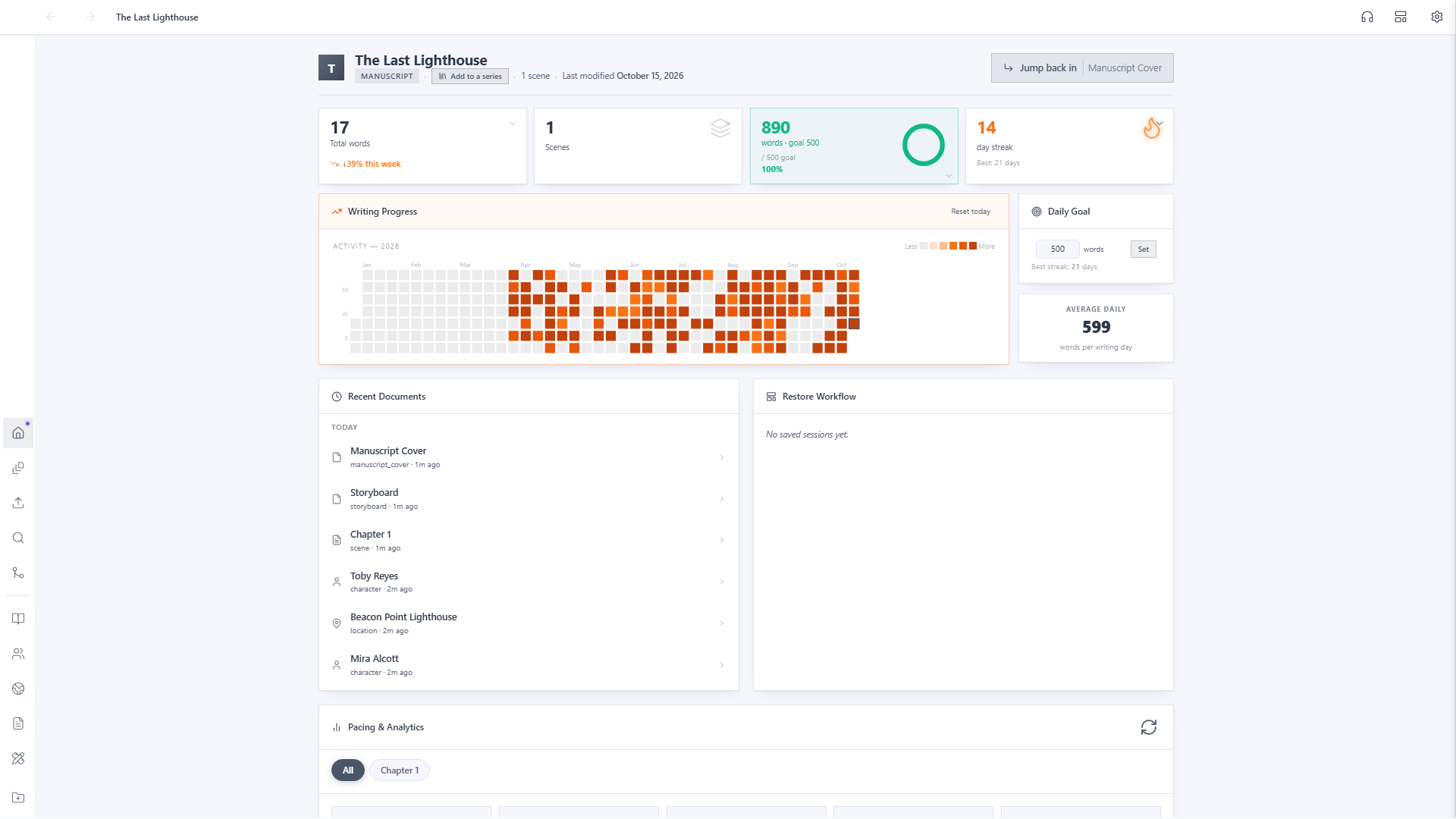
The same project home dashboard you've seen this whole series also tracks a daily word-count goal, a streak, and a full year of activity. Nothing extra to set up.
Find your Daily Goal
Every project home has a Daily Goal card in the sidebar. It starts at 0, with no goal set, and counts your words from the moment you start writing. The stat card beside it shows today's word count, your progress percentage, and your current streak.

Set your own number
Type a new target into the Daily Goal field and click Set. There's no one right number. A quick 300-word warm-up and a serious 1,500-word session both work the same way, so pick whatever pace you can actually stick with.

Watch it build over time
Keep writing, and the Activity heatmap fills in: a full year at a glance, with darker squares for bigger days. Alongside it: your current streak, your best streak ever, and your average words per writing day. It's the same dashboard from Tutorial 1, just with months of real momentum behind it instead of a blank grid.