Compiling to PDF, DOCX, or EPUB
Your chapters live in separate documents while you write them. The Compiler pulls it all together (cover, chapters, back matter) into one properly formatted file, ready to send out or publish.
Add a cover page
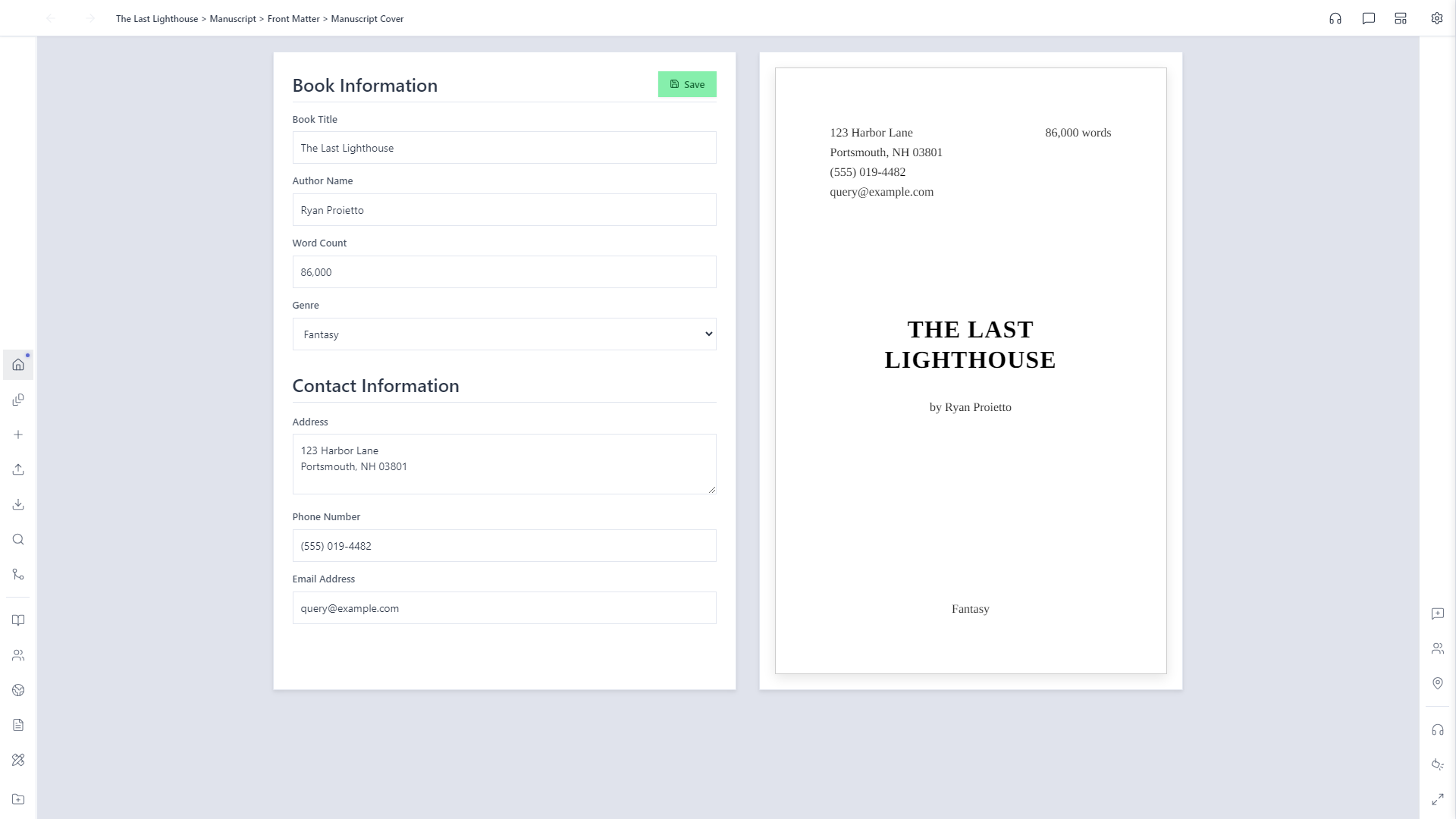
Open the Front Matter subfolder under Manuscript and create a Manuscript Cover. Fill in your title, author name, genre, and contact information, and the form on the left updates a real title-page preview on the right as you type.
Open the Compiler and check your structure
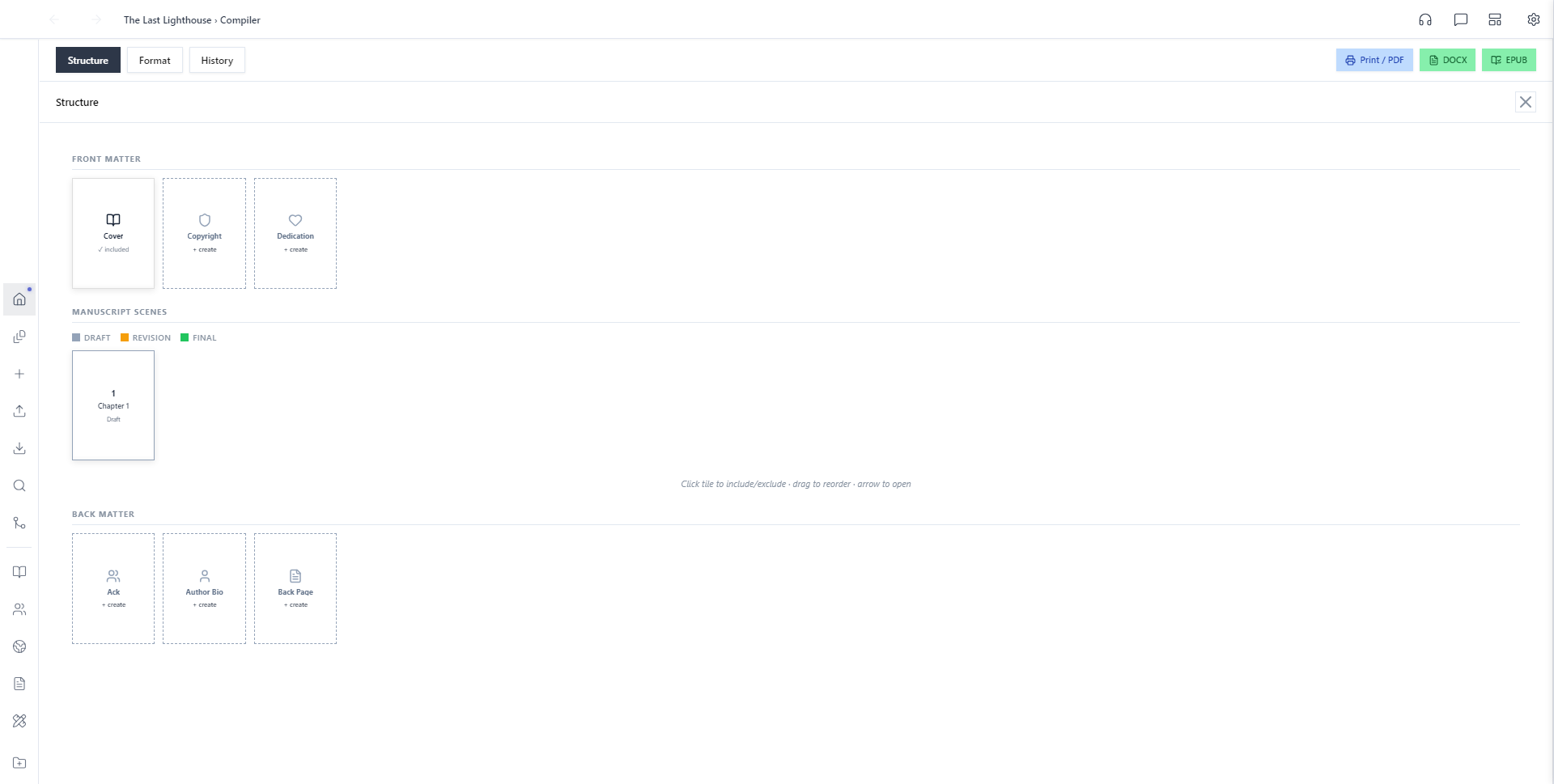
Open the Compiler from your Manuscript folder. The Structure tab lays out everything that can go into the compiled manuscript: Front Matter, every scene in the Manuscript with its status, and Back Matter. Click a tile to include or exclude it, or drag to reorder.
Set your format
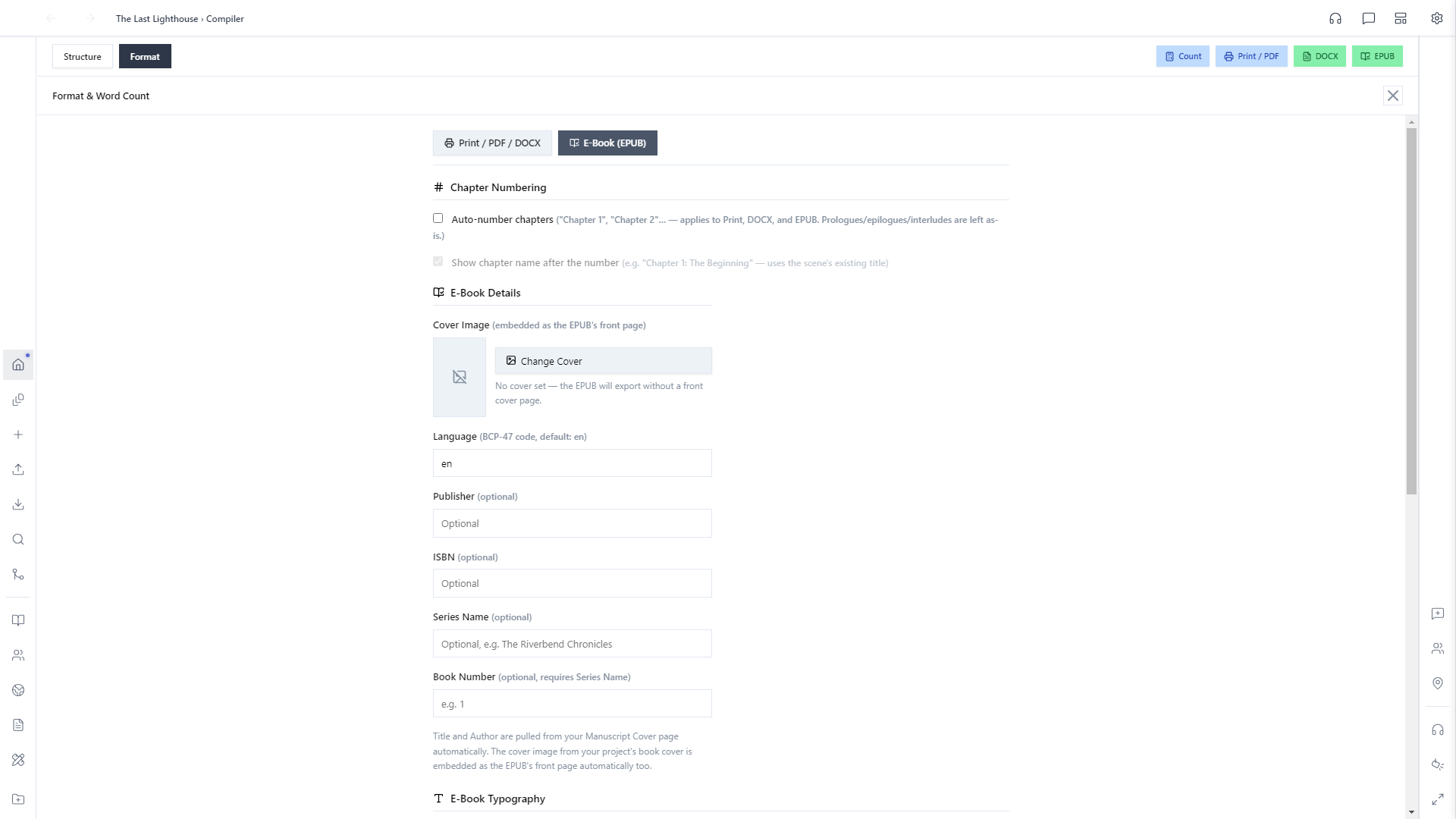
The Format tab covers everything about how the compiled file looks. Print/PDF/DOCX gets its own page size, margins, and chapter numbering; the separate E-Book (EPUB) tab covers cover image, language, publisher, ISBN, and series info: the kind of metadata a real e-reader or storefront actually reads. Title and author come straight from the cover page you filled in back in step 1.
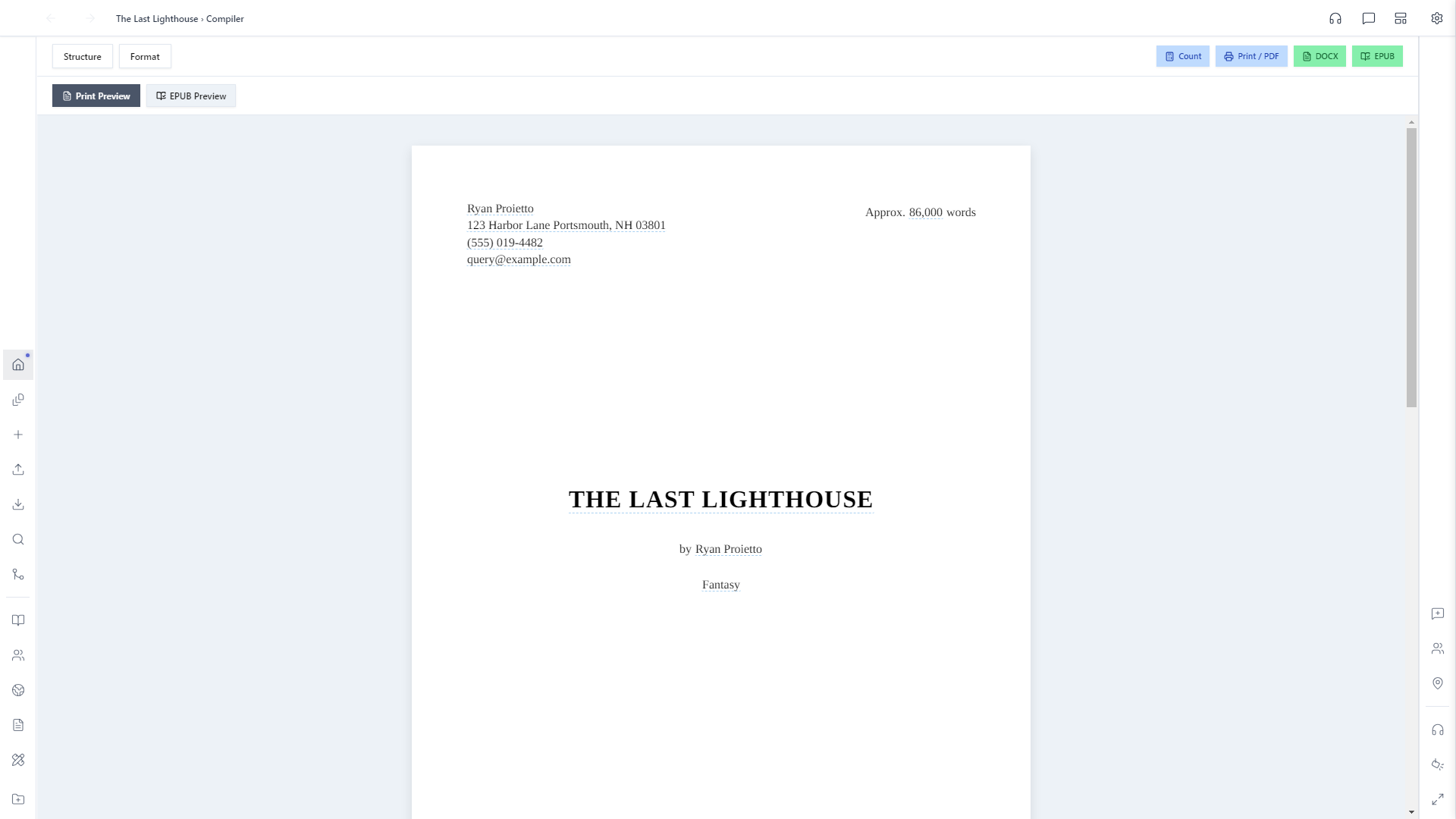
Preview and export
Word count updates automatically as you write, so it's always accurate across every included document by the time you export — no button to click first. Switch to Print Preview at any time to see exactly what your compiled manuscript will look like, cover page and all. When it's ready, Print / PDF, DOCX, and EPUB in the top-right each export the same structure to that format. One pass, every format.