Building Templates from Your Project
A freeform template is a page you write yourself in HTML, CSS and JavaScript. Its code can read your project through alistair: your characters, scenes, comments, dialogue and word counts. A cast board, a scene tracker or a word-goal dashboard takes a few lines, and it stays up to date as you write.
Start a new template
Open Template Manager and click New Template. Under Built on your project's data are seven working examples: Cast Board, Scene Tracker, Mentions Finder, Word Goal, Dialogue Balance, Editorial To-Do and Name Generator. Each one is ready to use, and each is a good place to start your own.
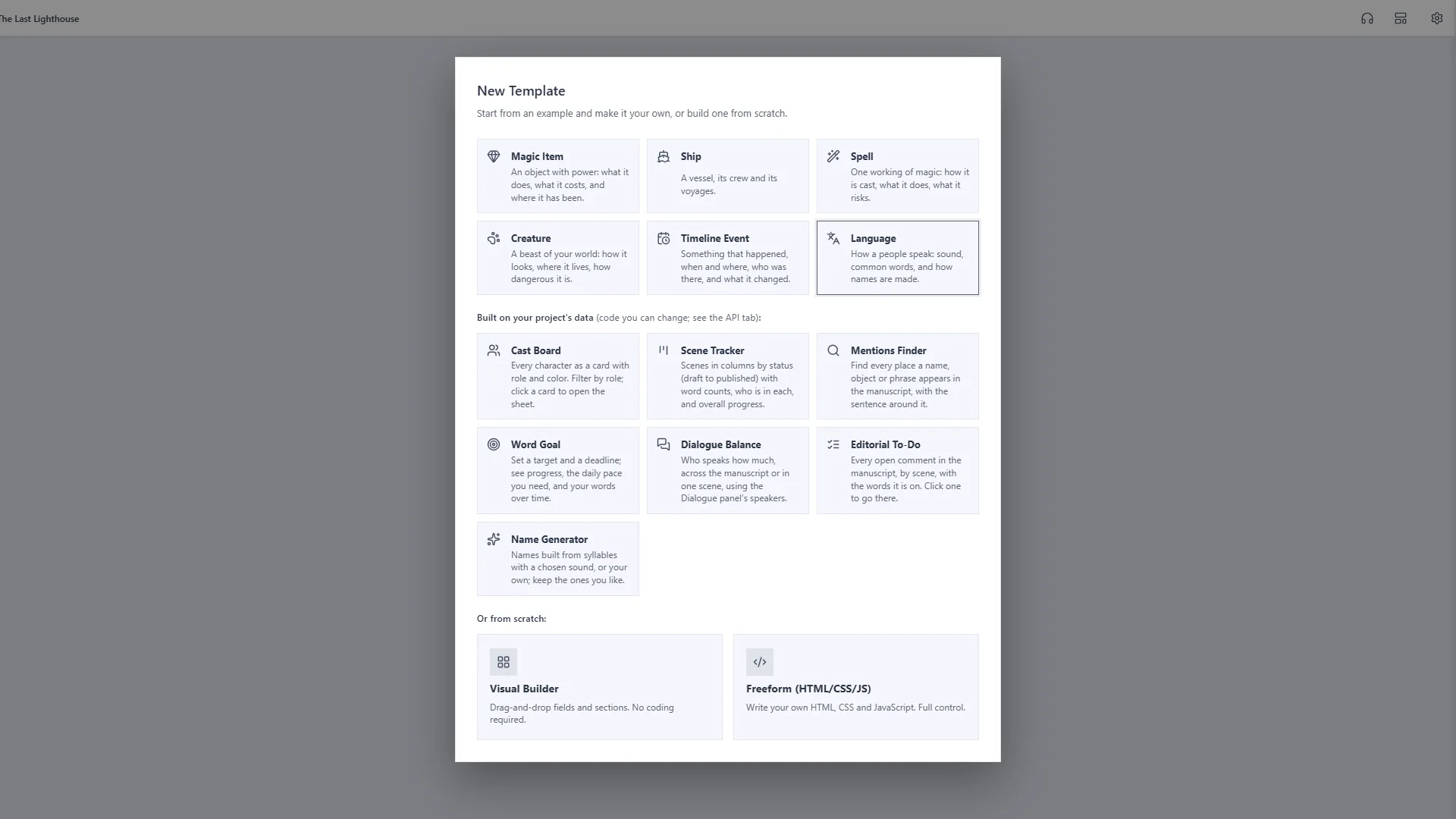
Open an example
Choose Scene Tracker. The code is on the left, in HTML, CSS and JS tabs with colors like VS Code. The Live Preview on the right already shows your own scenes, in columns by status with their word counts. Change the code and the preview updates after a moment, or press Ctrl+Enter to refresh it straight away.
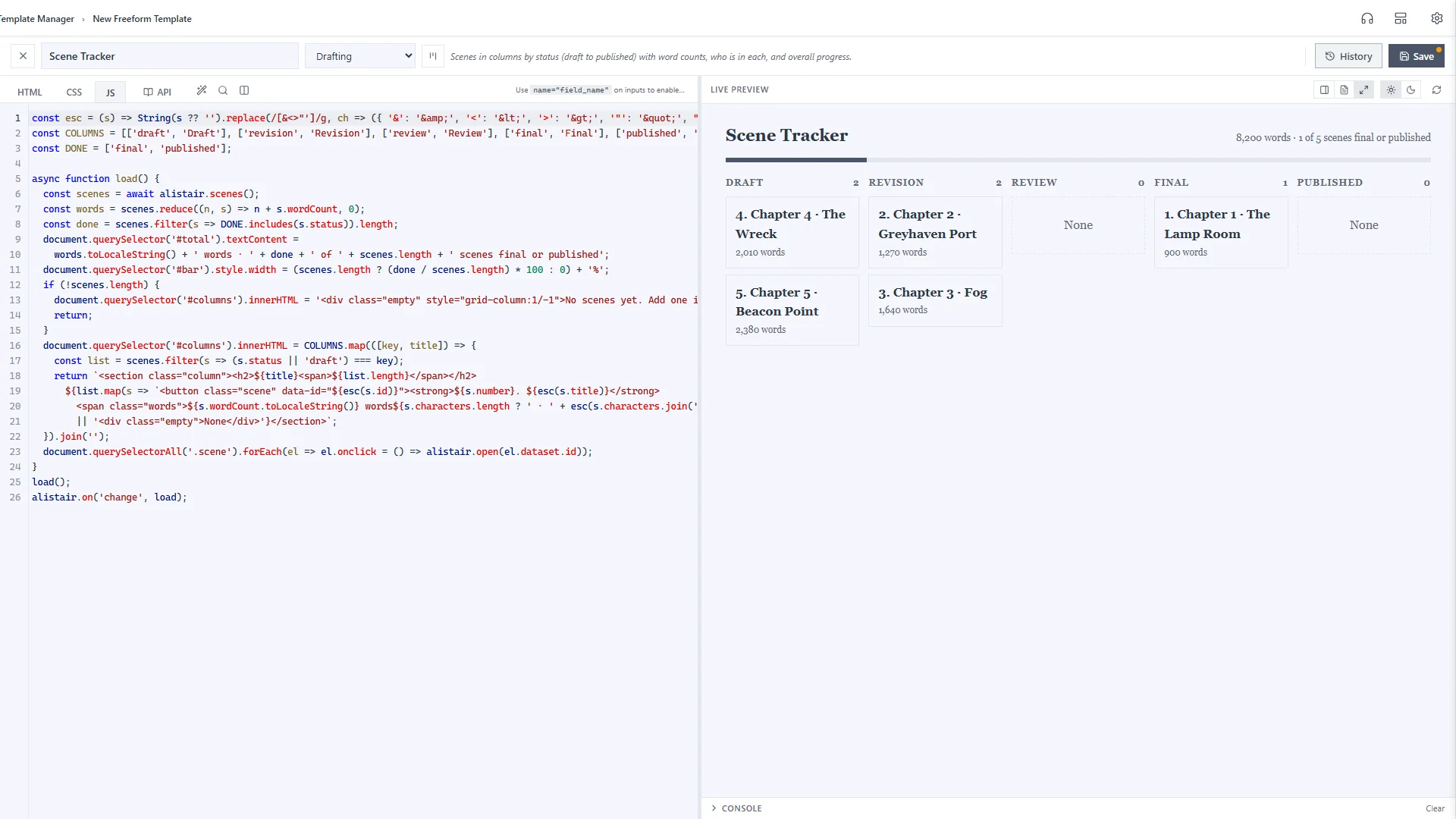
const scenes = await alistair.scenes();. Every call returns a promise, so put await in front. You can do that anywhere in the JS tab.
See everything you can read
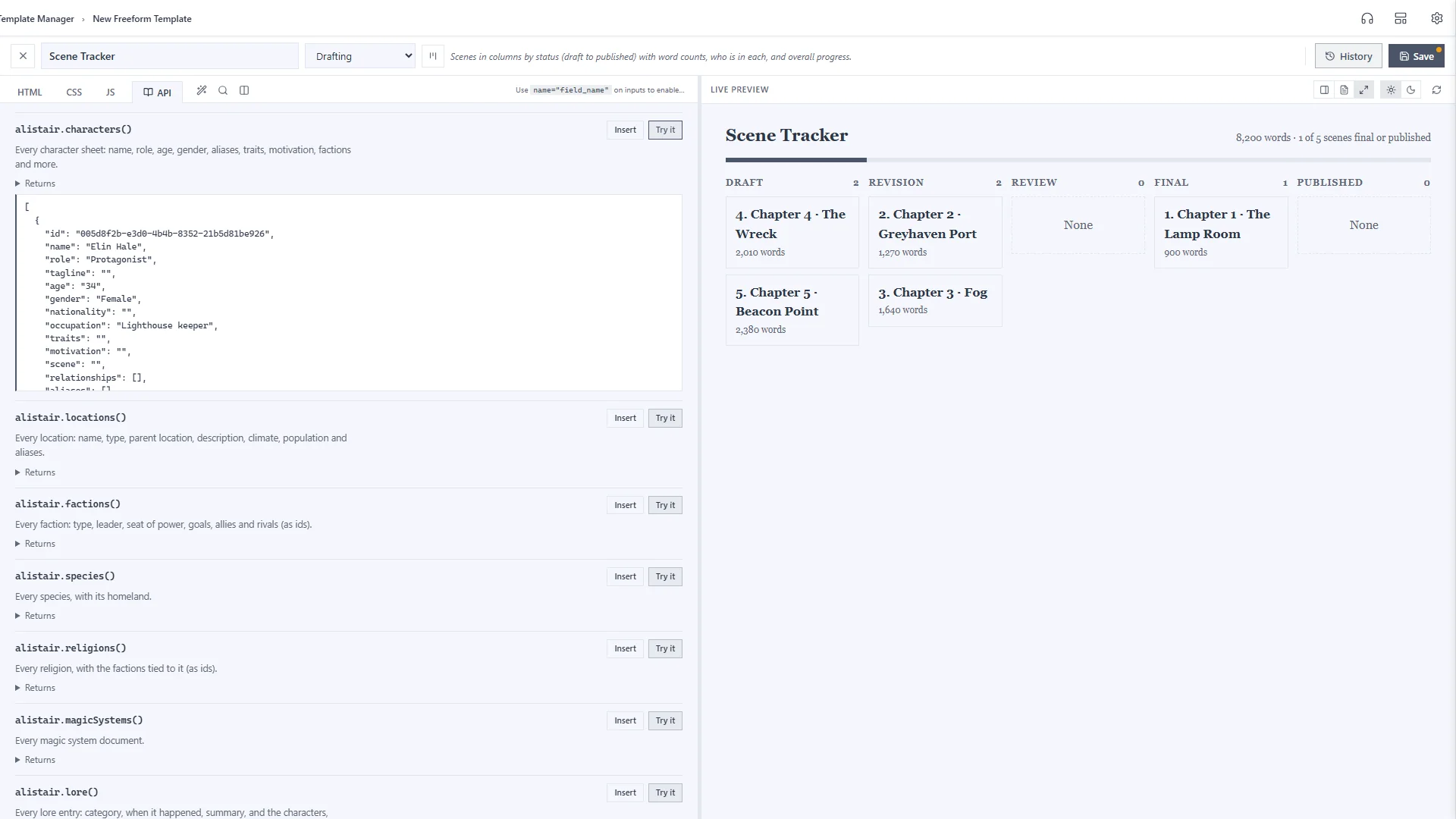
Click the API tab. It lists every call: project and stats; documents and search; characters, locations, factions, lore, scenes, beats and relationships; comments, dialogue, versions and daily progress. Each entry says what it returns. Try it runs the call on your project and shows the result, and Insert adds a working example to your code.
Write your own
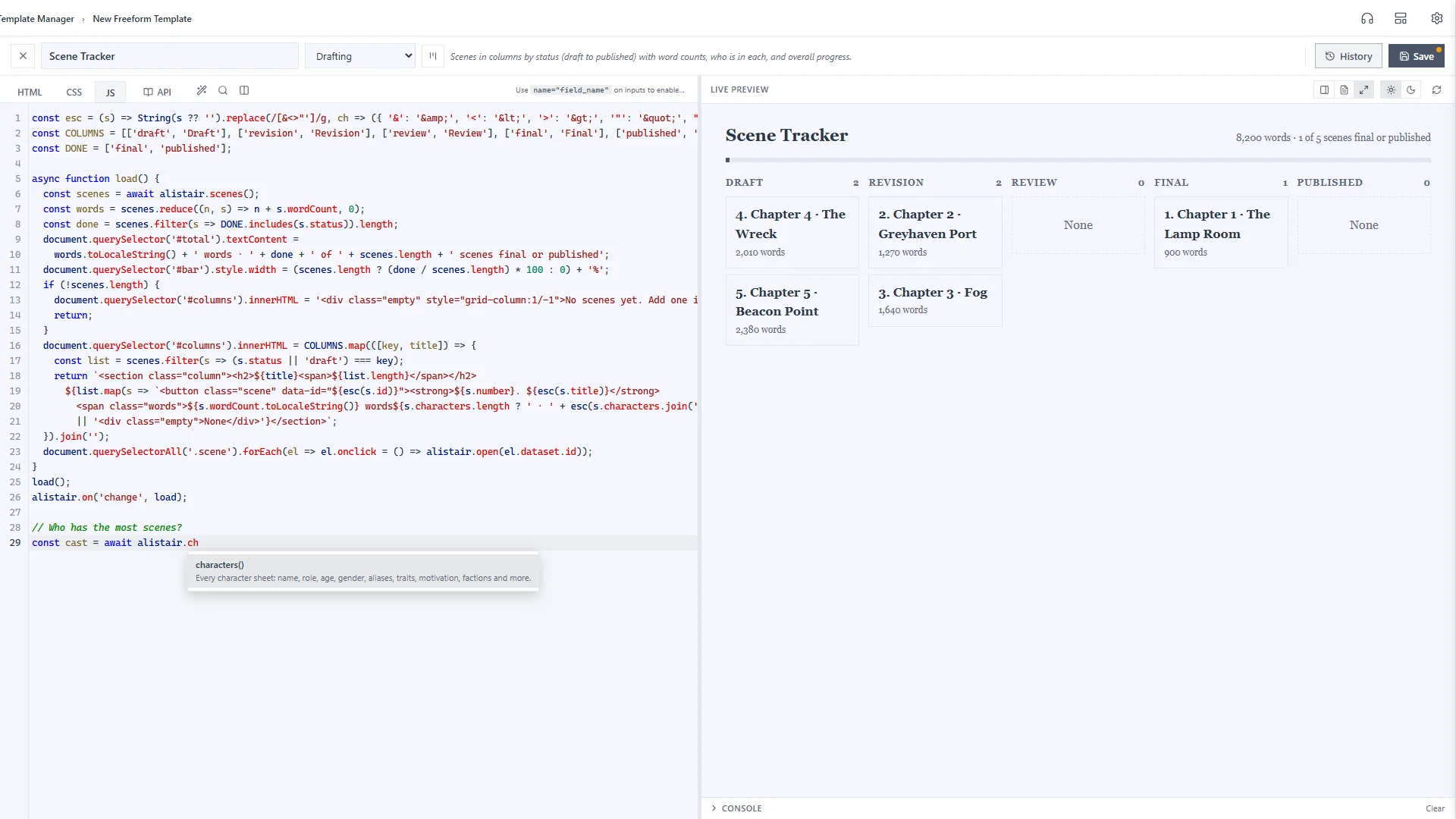
In the JS tab, type alistair. and a list of the calls appears, each with a line saying what it does. Keep typing to narrow it, then press Enter to choose one. The editor also closes brackets and tags for you, and Ctrl+/ comments out a line.
Find mistakes with the Console
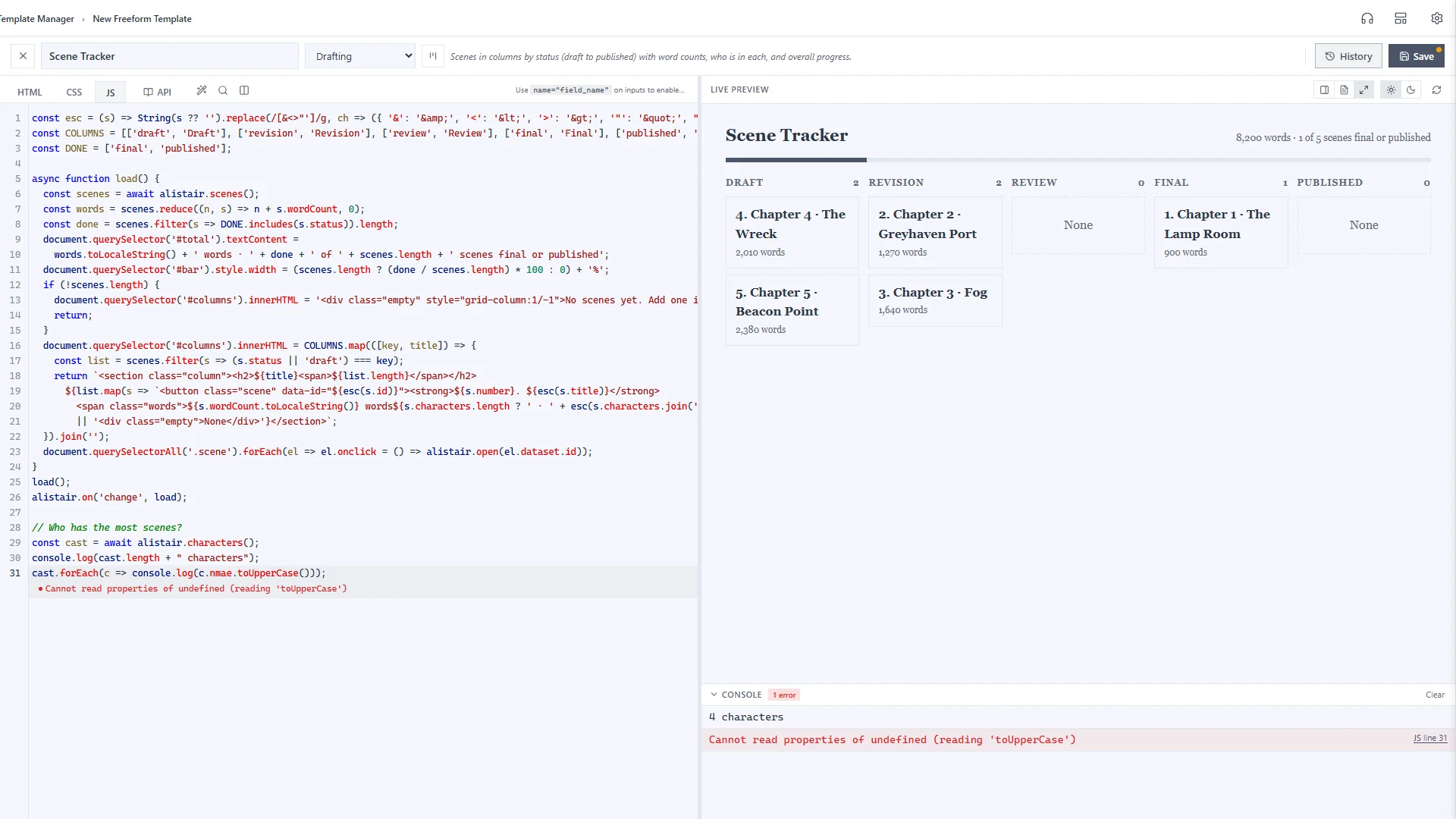
Anything your code logs with console.log() appears in the Console under the preview. If something goes wrong, the error appears there with a link to its line, and is also written right under that line in the editor. Here, c.nmae should be c.name.
Check it in light, dark and narrow
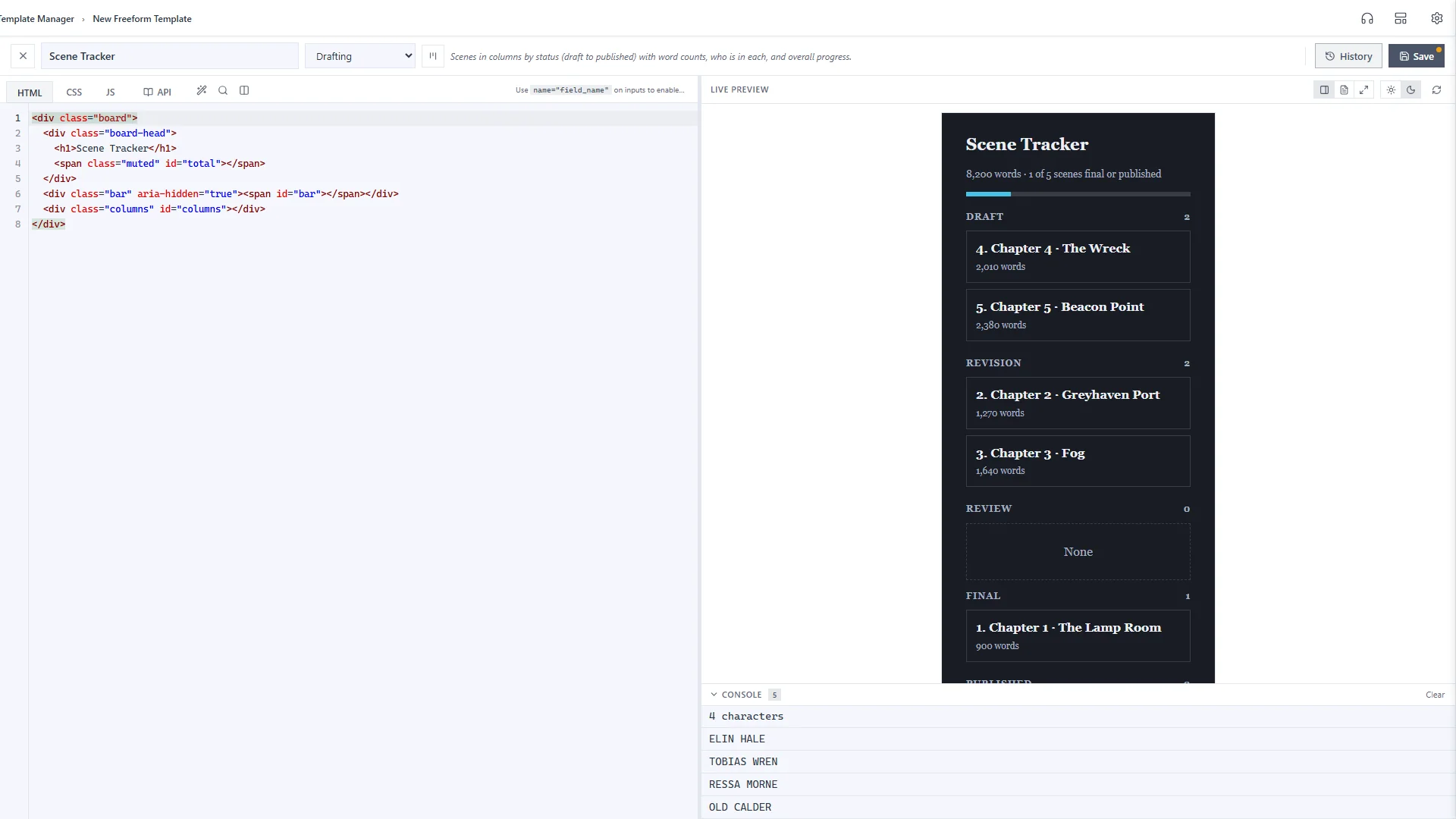
The buttons above the preview show your template as narrow as the side panel, as wide as a page, or full width, and in the light or dark theme. Use the theme's colors in your CSS (var(--text-primary), var(--bg-editor), var(--accent-color)) and your template follows whichever theme the writer uses.
Save it to a folder
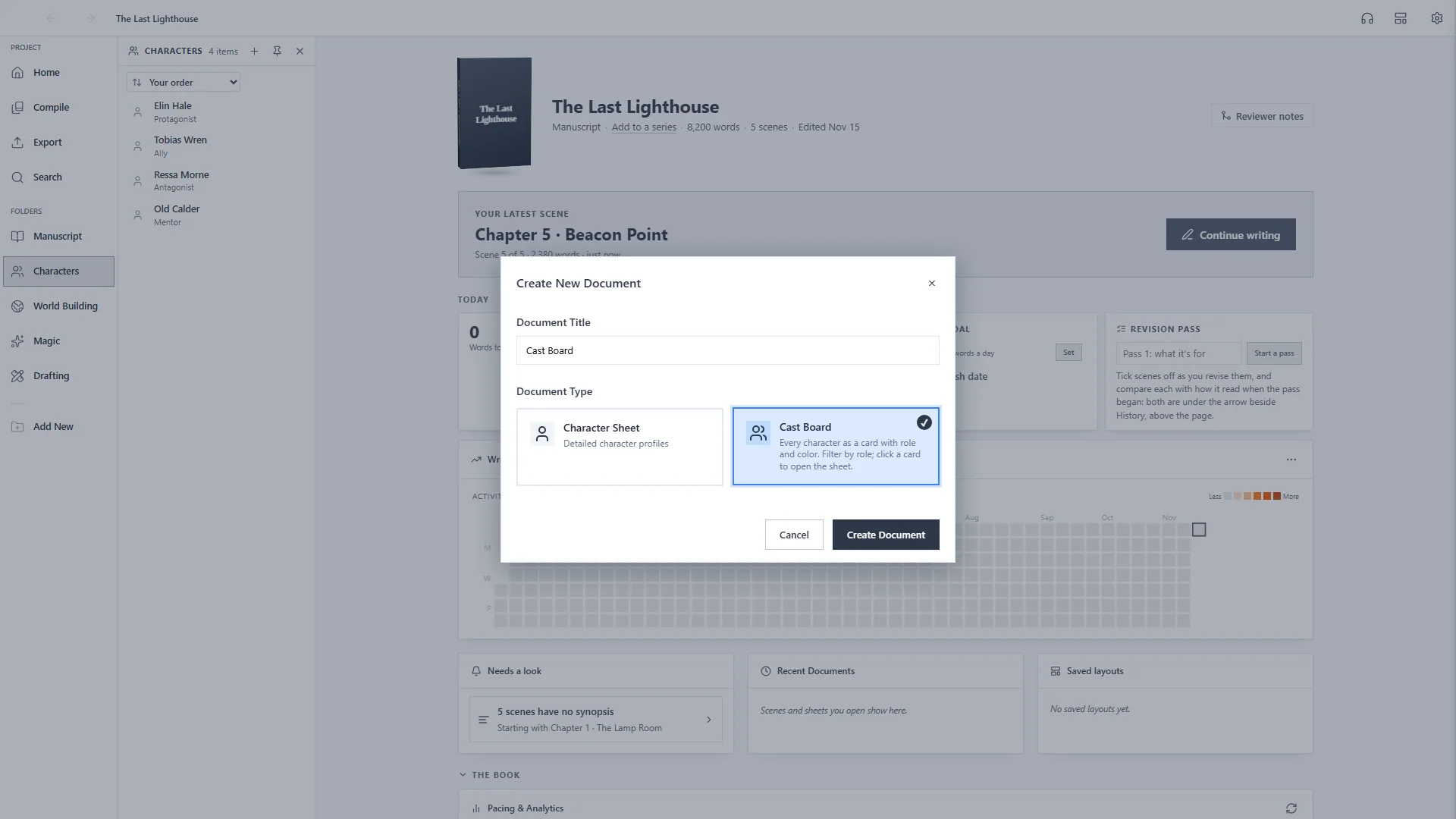
Give your template a name, choose its folder from the list (or + Custom folder… to make a new one), and click Save or press Ctrl+S. It then appears in that folder's Add new… beside the built-in document types. Here a Cast Board saved to Characters sits next to Character Sheet.
Use it as you write
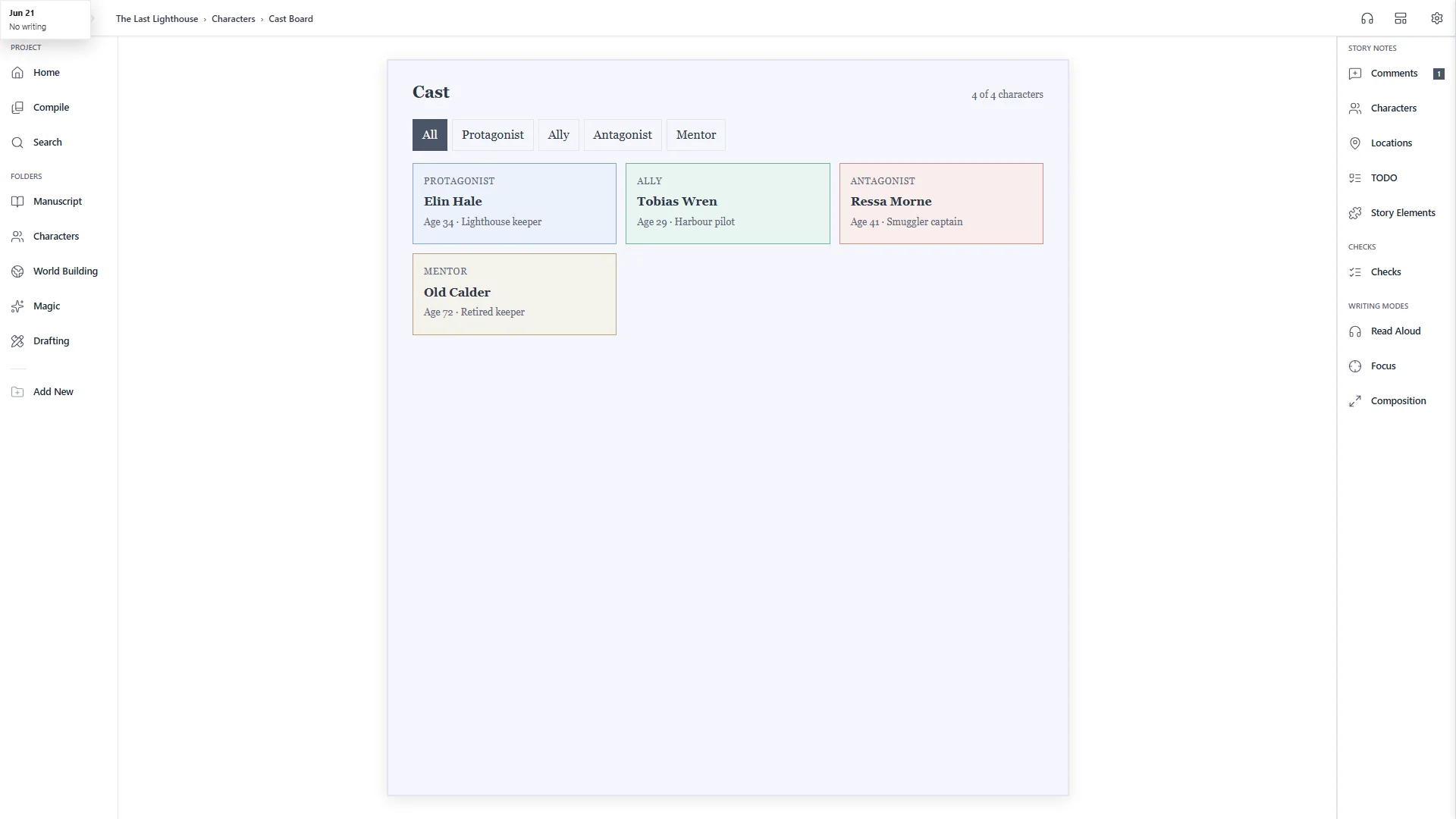
A document made from your template reads your project every time it opens. The Cast Board shows every character as a card in their color; click one to open their sheet. Templates that call alistair.on('change', …), like all seven examples, also refresh when you save anything in the project, even in another tab.
Change your project, with permission
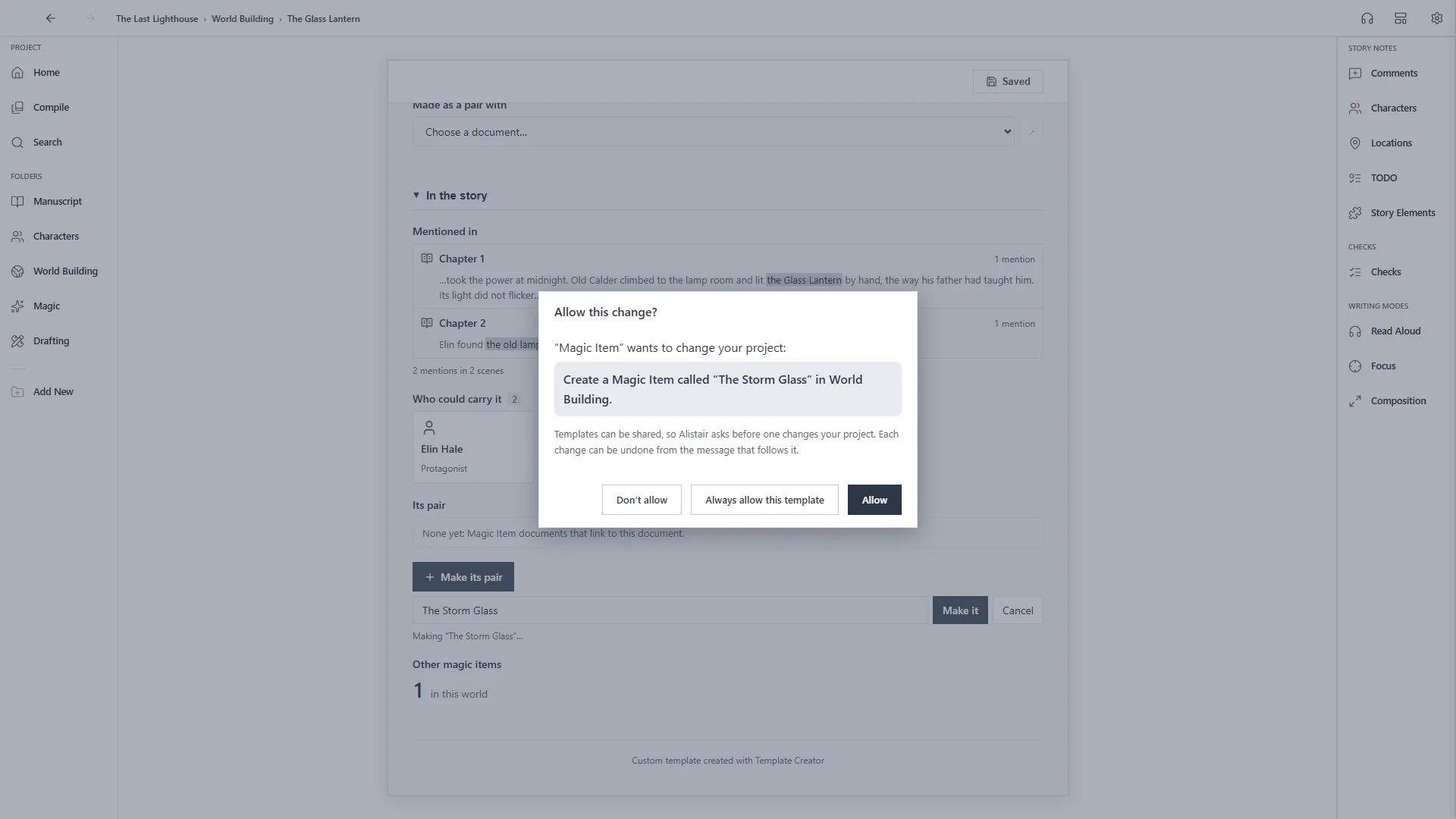
Most calls only read. A few change your project: alistair.createDocument({ title, … }) makes a document, alistair.setField(id, field, value) changes a field of another template's document, and alistair.setStatus(id, status) marks a scene or document as draft, revision, review, final or published. Templates can be shared, so Alistair asks first. The writer chooses Allow, Always allow this template or Don't allow, and every change shows a message with Undo. In the builder's preview nothing changes; you're told what would have happened.
const spell = await alistair.createDocument({ title: 'Fireball', fields: { kind: 'Instant' } });
await alistair.setStatus(sceneId, 'revision');
alistair.setData(key, value) and alistair.getData(key). They're kept in the project with your writing, and they don't ask, because only that template uses them.